
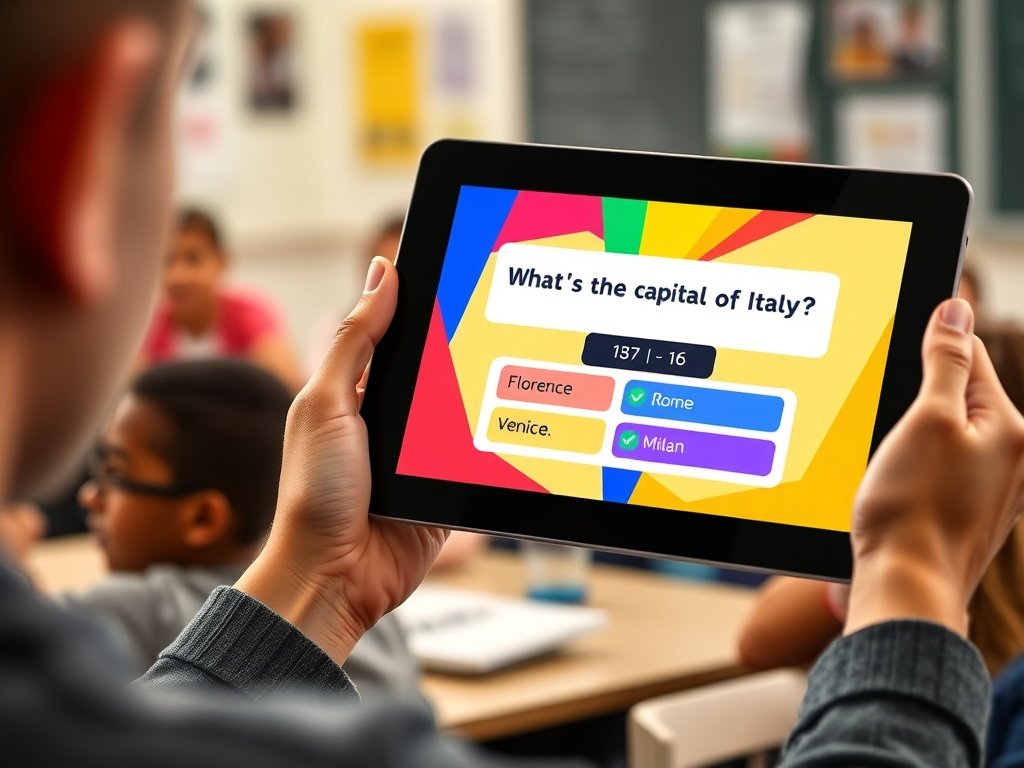
The Quizizz time limit allows teachers to control how long students have to answer quiz questions. In the quiz editor, educators can set a timer for each question using a dropdown menu and choose durations ranging from a few seconds to several minutes. Timers encourage faster thinking and help manage classroom activities effectively. Teachers can also apply the same timer to all questions or adjust them individually depending on difficulty.
Online learning platforms rely on timing features to maintain engagement and improve assessment accuracy. In digital quizzes, timers encourage focus and prevent students from spending too long on a single question. Teachers can customize question durations, scoring rules, and deadlines depending on the learning goal. Some quizzes reward quick answers with extra points, while others simply limit how long a response can be submitted. Proper timing settings create balanced assessments that test knowledge without adding unnecessary stress. When used effectively, timers help teachers maintain classroom pacing, measure performance fairly, and provide students with a structured learning experience. This article explains how timers work, why they matter in online quizzes, and how educators can set the right duration for better results
Understanding Quiz Timers in Online Learning
Digital quizzes have become an essential tool in modern education because they allow teachers to measure understanding quickly and efficiently. One of the most important features in any online quiz system is the timer. A timer controls how long students can spend answering questions, ensuring that the activity remains organized and engaging. When students know they have limited time, they are more likely to focus on the task and respond based on their knowledge rather than searching for answers elsewhere. Timers also help teachers maintain a consistent pace during classroom sessions. Without a time restriction, quizzes may take too long and reduce participation. Educational platforms therefore include flexible timing options so instructors can adjust the duration based on question complexity and student level.
How Quizizz Time Limit Works
The quizizz time limit feature allows educators to decide how much time students have to answer each question during a quiz session. Teachers can open the quiz editor and select the timer option for individual questions. The platform provides a dropdown menu where different durations can be selected depending on the type of question being asked. Timers may range from a few seconds to several minutes, allowing quizzes to be customized for different difficulty levels.
When a timer is active, a countdown appears on the student’s screen. Students must submit their answers before the timer expires to earn full credit. This mechanism encourages quicker thinking and keeps the quiz moving at a steady pace. In many cases, faster responses may also lead to higher scores, which adds an element of competition and motivation.
Why Time Limits Are Important in Online Quizzes
Time limits play a crucial role in maintaining fairness and accuracy during assessments. Without timing restrictions, students might spend excessive time researching answers instead of relying on their understanding. Timers encourage quick recall and help teachers measure genuine comprehension. They also improve engagement by adding a sense of urgency and excitement to the activity.
From a classroom management perspective, timers make it easier to control lesson flow. Teachers can predict how long a quiz will take and plan their lessons accordingly. When every student receives the same time allowance, the evaluation process becomes more standardized. This consistency ensures that quiz results reflect real knowledge rather than the amount of time someone spent searching for information online.
Types of Timers Available in Quizizz
Educational quiz platforms typically provide multiple timer options to accommodate different teaching styles. One common setting is the default timer, where students can still submit answers even if the countdown reaches zero, though faster responses may receive additional points. Another option is a strict testing timer where answers cannot be submitted once the time runs out. In this mode, questions that exceed the allowed time are automatically marked incorrect.
There is also a mode where the timer can be completely disabled. This option is useful for practice sessions or self-paced learning environments where students may require more time to think. Different timer styles help teachers design quizzes that match the learning objective, whether it is competitive practice or formal evaluation.
Setting the Right Time for Each Question
Choosing the correct amount of time for quiz questions requires careful planning. If the timer is too short, students may feel pressured and fail to demonstrate their knowledge. If it is too long, the activity may lose its excitement and focus. Teachers often base timing decisions on the complexity of the question.
For simple multiple-choice questions, short durations work well because students only need to recognize the correct answer. More complex questions involving analysis or problem-solving require additional time. The goal is to provide enough time for thoughtful responses without encouraging unnecessary delays. A balanced approach ensures that the quiz remains challenging while still being fair to all participants.
Also read this: Sodziu Complete Guide: Meaning, Uses, Benefits, Tips, and Expert Advice
Editing Question Timers in Quizizz
Teachers can easily edit timers while creating or modifying a quiz. After opening the quiz editor, they can select the edit option next to a question. Inside the editing panel, a timing dropdown allows the instructor to choose how long students will have to answer that specific question. Once the desired duration is selected, the changes can be saved and applied to the quiz.
This process allows instructors to adjust timing according to the content of each question. Some questions may require quick recall, while others involve more detailed thinking. By customizing timers individually, teachers can create quizzes that better match the difficulty level and learning objectives of the lesson.
Applying the Same Timer to All Questions
In many situations, teachers prefer to keep the same time limit for every question in a quiz. This approach simplifies the setup process and ensures consistent pacing throughout the activity. Instead of editing each question individually, the platform provides a bulk update feature that allows the timer to be changed for all questions simultaneously.
Using bulk editing saves time when creating large quizzes with many questions. It also prevents mistakes that may occur when setting timers manually for each item. Consistent timing works particularly well for quizzes that use the same type of question format, such as multiple-choice or true-false assessments.
How Timers Affect Scoring
Timing does more than control quiz duration; it can also influence scoring. In many quiz systems, correct answers earn base points while faster responses receive additional bonus points. This system rewards both accuracy and speed, encouraging students to think quickly.
Some timer modes also enforce strict deadlines. If a student fails to answer before the countdown reaches zero, the question may automatically be marked incorrect. In these cases, the timer functions as a grading mechanism as well as a pacing tool. Such features make quizzes more competitive and help teachers identify students who truly understand the material.
Best Time Settings for Different Question Types
Different question types require different timing strategies. For example, quick recall questions usually need only a short timer because students either know the answer immediately or they do not. Medium-difficulty questions that require some reasoning may need additional time. Analytical or problem-solving questions often require the longest duration because students must read carefully and think critically before answering.
Teachers often experiment with timing during early quizzes to see how students respond. Observing completion rates and average response times helps educators refine their settings. Over time, instructors can create balanced quizzes that challenge students while still allowing enough time for thoughtful answers.
Benefits of Using Timers in Digital Assessments
Timers offer several advantages in online assessments. First, they help maintain student focus by encouraging quick responses. When learners know that time is limited, they are more likely to stay engaged with the quiz. Second, timers help instructors manage classroom time effectively by keeping quizzes within predictable durations.
Another benefit is improved fairness. When every student receives the same time allowance, assessments become more standardized. This consistency helps ensure that scores reflect knowledge rather than external factors. Timers also introduce a fun competitive element, which can motivate students to perform better during quizzes.
Common Mistakes When Setting Quiz Timers
Although timers are useful, setting them incorrectly can create problems. One common mistake is choosing extremely short durations that prevent students from reading the question properly. This can lead to frustration and inaccurate results. Another mistake is setting overly long timers, which may reduce the challenge and cause students to lose interest.
Teachers should also consider the reading level of their students when setting timers. Younger learners or students studying in a second language may need slightly longer durations. By adjusting timers carefully, educators can create a fair and engaging quiz experience.
Tips to Improve Quiz Performance with Timers
Teachers can use several strategies to make quiz timers more effective. One approach is to start with slightly longer durations during practice sessions. This allows students to become comfortable with the quiz format before facing stricter time limits. Another strategy is to analyze quiz results and identify questions where many students ran out of time.
If a large number of participants struggle to finish within the allotted duration, the timer may need adjustment. Providing clear instructions before the quiz begins also helps students manage their time effectively. With the right balance, timers can enhance both engagement and learning outcomes.
Managing Timed Quizzes in Classroom Activities
Timed quizzes can be integrated into many classroom activities. Teachers often use them as quick review exercises before exams or as interactive learning games. Because timers keep the activity moving, students remain engaged and focused throughout the session.
In remote learning environments, timers are especially valuable because they help maintain discipline and structure. They prevent students from leaving questions open for extended periods and ensure that the quiz progresses smoothly. By combining timing features with interactive questions, educators can create dynamic learning experiences that encourage participation and understanding.
Future of Timed Assessments in Digital Education
As educational technology evolves, timing features in online quizzes continue to improve. Developers are experimenting with adaptive timers that adjust based on question difficulty or student performance. Such innovations could make quizzes even more personalized and effective.
In the future, timers may also integrate with learning analytics systems that track response times and identify areas where students struggle. These insights could help teachers design better lessons and assessments. With the rapid growth of digital learning, timed quizzes will likely remain an important tool for measuring knowledge and maintaining engagement.
Conclusion
Timers are an essential feature in modern online quizzes because they maintain focus, ensure fairness, and help teachers manage classroom activities efficiently. By choosing appropriate durations for each question, educators can create assessments that challenge students while still allowing enough time for thoughtful responses. When used correctly, quiz timers transform simple quizzes into engaging learning experiences that encourage both accuracy and quick thinking
FAQs
1. What is the minimum time for a quiz question?
Most quiz systems allow very short durations, often starting from a few seconds. Teachers can increase the time depending on question complexity.
2. Can teachers remove timers in quizzes?
Yes, many platforms allow timers to be disabled so students can answer questions at their own pace.
3. Do timers affect quiz scores?
In some quiz modes, faster correct answers may receive additional points, making speed part of the scoring system.
4. Can the same timer be applied to all questions?
Yes, bulk editing features allow instructors to set one time duration for every question in a quiz.
5. What happens if time runs out?
Depending on the quiz mode, the answer may be marked incorrect or the student may still submit it with reduced scoring.
6. How long should a quiz question be timed?
Simple questions may require less than a minute, while analytical questions may need longer durations.
7. Why are timed quizzes useful in education?
They keep students focused, prevent excessive searching for answers, and help teachers maintain structured classroom activities.
Fore more info: Streetmaginsider.com
